


Modern development workflows have mostly solved the file problem. We use Git to version our themes and plugins, and we use CI/CD pipelines to deploy those files to staging and production. But for many teams, the database remains a manual, high-stakes bottleneck.
Whether you are pulling production data down to a local environment for debugging or pushing a new ACF field structure up to staging, relying on manual SQL exports and imports is a recipe for disaster. It’s slow, it’s prone to human error, and it’s the most common way to break serialized data.
To reach true deployment maturity, you need to automate the database layer. That’s where WP Migrate’s integration with WP-CLI comes in.
Why wp db export Isn’t Enough
Many developers start by using the native wp db export and wp db import commands. While these are great for simple backups, they are dangerous for migrations between environments.
The primary culprit is serialized data. WordPress often stores complex data (like widget settings or ACF configurations) as serialized PHP objects. If your search-and-replace changes the length of a string (e.g., changing http://localhost to https://production.com), a standard SQL find-and-replace will break the serialization, and the data will simply vanish from the frontend.
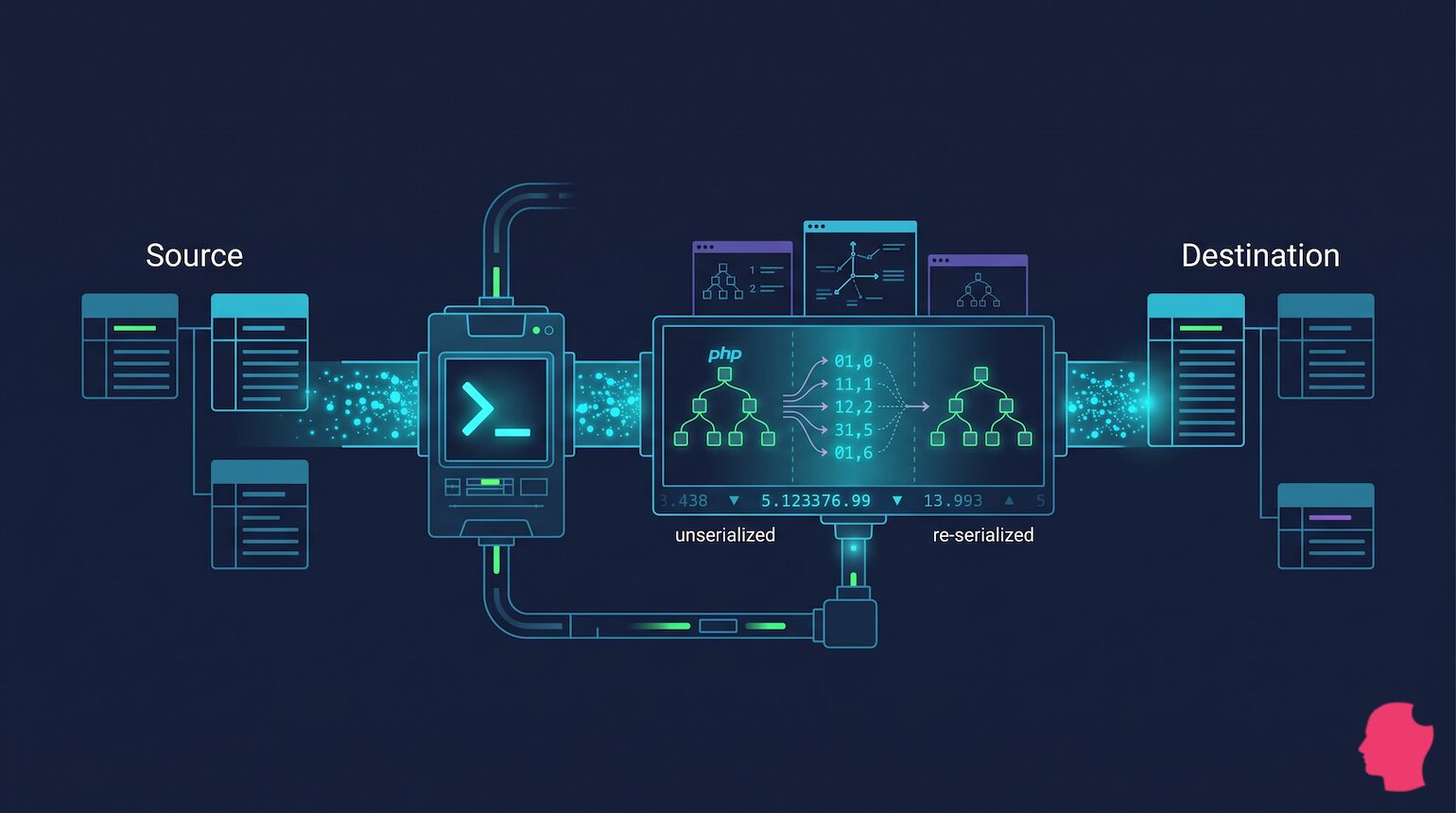
Unlike standard SQL exports that treat the database like a flat text file, WP Migrate’s background logic handles search-and-replace at the PHP level. When the migration runs, the plugin identifies serialized data and temporarily unserializes it to perform the string replacement on the actual data structure. Once the strings are updated, it re-serializes the data and automatically recalculates the internal string-length counts before committing it to the destination database. This process ensures your metadata remains intact even when the new site URL has a completely different character count than the old one.
The Bridge: Migration Profiles
You can start firing off commands in the terminal at this point, but it’s probably better to create a Migration Profile first. Migration Profiles are a specialized feature provided by WP Migrate to manage complex configurations.
Migration Profiles are basically saved presets for your migration. In the WP Migrate UI, you define:
- Which tables to include or exclude.
- Specific find-and-replace pairs.
- Whether to sync the Media Library or theme files.
By defining these in the UI first, you avoid the headache of passing dozens of complex arguments into a terminal command. Once saved, the CLI can trigger the entire logic of that profile using a single ID.
Selective Table Syncing: Protecting Production
The most significant risk in database automation is the push operation, when you move data from a lower environment (like Local or Staging) to the live Production server. If you push a full database that you’ve been working on for several days, you will overwrite the live site with your outdated local data, potentially wiping out every eCommerceorder or user registration that happened while you were developing.
This is where selective syncing becomes a mandatory safety measure. Instead of an “all or nothing” approach, WP Migrate’s integration with WP-CLI allows you to be surgical. In your Migration Profile, you should configure specific exclusions for transactional tables:
wp_usersandwp_usermetawp_commentswp_postsandwp_postmeta(specifically if you only want to sync settings/structures, not content)
By excluding these, you can perform a structural push that sends new ACF field groups or plugin configurations to production without the nightmare scenario of deleting customer data.
The Workflow: Push vs. Pull
In a professional pipeline, the direction of your migration depends on your goal.
| Direction | Command | Best For… | Risk Level |
|---|---|---|---|
| Pull | wp migrate pull <ID> |
Refreshing staging with fresh production data. | Low (Overwrites local/staging) |
| Push | wp migrate push <ID> |
Deploying new ACF structures or settings to staging. | High (Overwrites remote) |
Automating with Secret Keys
WP Migrate uses secret keys for authorization. This means you don’t need to manage complex SSH tunnels just to move data. When setting up your CI/CD pipeline (like GitHub Actions), you should store these credentials as environment-scoped secrets within your CI/CD provider (like GitHub Actions or GitLab CI).
By scoping secrets specifically to the Production environment, you can implement protection rules, such as requiring a manual approval before the secrets are injected into a workflow. This ensures that a database push to your live site only happens when a senior team member has signed off on the deployment.
Real-World Implementation: GitHub Actions Snippet
Here’s how you might automate a Pull request to refresh a Staging site with Production data whenever a new release is tagged.
jobs:
  db-refresh:
    runs-on: ubuntu-latest
    steps:
      - name: Trigger WP Migrate Pull via SSH
        uses: appleboy/ssh-action@master
        with:
          host: ${{ secrets.STAGING_HOST }}
          username: ${{ secrets.STAGING_USER }}
          key: ${{ secrets.SSH_PRIVATE_KEY }}
          script: |
            # Navigate to the site root and trigger the saved profile
            cd /var/www/html
            wp migrate pull 5 --path=/var/www/html
In this example, the number 5 represents the specific ID of a Migration Profile created in the WP Migrate UI. Once you’ve identified your ID via the wp migrate profiles list command, the CLI takes it from there, automatically executing the authentication, the PHP-level search-and-replace, and the table exclusions you’ve already defined. This keeps your deployment script clean, as the heavy lifting of the configuration stays within the profile itself.
Conclusion
Manual migrations are basically technical debt. They eat up developer time and introduce unnecessary risk into your deployment cycle. By leveraging WP Migrate’s integration with WP-CLI, you move the database out of the manual task column and into your automated pipeline.
Whether you are syncing data for QA or deploying complex structural changes, using Migration Profiles and WP-CLI ensures that your environments stay in parity and your serialized data stays safe.

